from __future__ import annotations

from functools import partial

import matplotlib.pyplot as plt
import numpy as np
import optax
import pandas as pd
import seaborn as sns
from numpy.polynomial.polynomial import Polynomial

from example_models.linear_chain import get_linear_chain_2v
from mxlpy import Model, Simulator, SurrogateProtocol, fns, npe, plot, scan, surrogates
from mxlpy.distributions import LogNormal, Normal, sample
Mechanistic Learning
Mechanistic learning is the intersection of mechanistic modelling and machine learning.
mxlpy currently supports two such approaches: surrogates and neural posterior estimation.
In the following we will mostly use the mxlpy.surrogates and mxlpy.npe modules to learn about both approaches.
Surrogate models
Surrogate models replace whole parts of a mechanistic model (or even the entire model) with machine learning models.
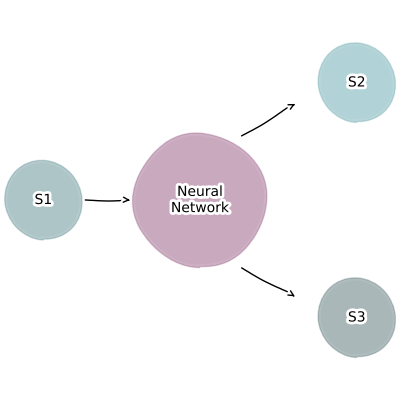
This allows combining together multiple models of arbitrary size, without having to worry about the internal state of each model.
They are especially useful for improving the description of boundary effects, e.g. a dynamic description of downstream consumption.
Manual construction
Surrogates can have return two kind of values in mxply: derived quantities and reactions.
We will start by defining a polynomial surrogate that will get the value of a variable x and output the derived quantity y.
Note that due to their nature surrogates can take multiple inputs and return multiple outputs, so we will always use iterables when defining them.
We then also add a derived value z that uses the output of our surrogate to see that we are getting the correct output.
m = Model()
m.add_variable("x", 1.0)
m.add_surrogate(
    "surrogate",
    surrogates.poly.Surrogate(
        model=Polynomial(coef=[2]),
        args=["x"],
        outputs=["y"],
    ),
)
m.add_derived("z", fns.add, args=["x", "y"])

# Check output
m.get_args()
time    0.0
x       1.0
z       3.0
y       2.0
dtype: float64
Next we extend that idea to create a reaction.
The only thing we need to change here is to also add the stoichiometries of the respective output variable.
I've renamed the output to v1 here to fit convention, but that is not technically necessary.
mxlpy will always infer structurally into what kind of value your surrogate will be translated.
m = Model()
m.add_variable("x", 1.0)
m.add_surrogate(
    "surrogate",
    surrogates.poly.Surrogate(
        model=Polynomial(coef=[2]),
        args=["x"],
        outputs=["v1"],
        stoichiometries={"v1": {"x": -1}},
    ),
)
m.add_derived("z", fns.add, args=["x", "v1"])

# Check output
m.get_right_hand_side()
x   -2.0
dtype: float64
Note that if you have multiple outputs, it is perfectly fine for them to mix between derived values and reactions.
Surrogate(
    model=...,
    args=["x", "y"],
    outputs=["d1", "v1"],               # outputs derived value d1 and rate v1
    stoichiometries={"v1": {"x": -1}},  # only rate v1 is given stoichiometries
)
Training a surrogate from data and using it
We will start with a simple linear chain model
$$ \Large \varnothing \xrightarrow{v_1} x \xrightarrow{v_2} y \xrightarrow{v_3} \varnothing $$
where we want to read out the steady-state rate of $v_3$ dependent on the fixed concentration of $x$, while ignoring the inner state of the model.
$$ \Large x \xrightarrow{} ... \xrightarrow{v_3}$$
Since we need to fix a variable as an parameter, we can use the make_variable_static method to do that.
# Now "x" is a parameter
get_linear_chain_2v().make_variable_static("x").parameters
| value | unit | |
|---|---|---|
| k1 | 1 | |
| k2 | 2 | |
| k_out | 1 | |
| x | 1 |
And we can already create a function to create a model, which will take our surrogate as an input.
def get_model_with_surrogate(surrogate: SurrogateProtocol) -> Model:
    model = Model()
    model.add_variables({"x": 1.0, "z": 0.0})

    # Adding the surrogate
    model.add_surrogate(
        "surrogate",
        surrogate,
        args=["x"],
        outputs=["v2"],
        stoichiometries={
            "v2": {"x": -1, "z": 1},
        },
    )

    # Note that besides the surrogate we haven't defined any other reaction!
    # We could have though
    return model
Create data
The surrogates used in the following will all use the steady-state fluxes depending on the inputs.
We can thus create the necessary training data usign scan.steady_state.
Since this is usually a large amount of data, we recommend caching the results using Cache.
surrogate_features = pd.DataFrame({"x": np.geomspace(1e-12, 2.0, 21)})

surrogate_targets = scan.steady_state(
    get_linear_chain_2v().make_variable_static("x"),
    to_scan=surrogate_features,
).fluxes.loc[:, ["v3"]]

# It's always a good idea to check the inputs and outputs
fig, (ax1, ax2) = plot.two_axes(figsize=(6, 3), sharex=False)
_ = plot.violins(surrogate_features, ax=ax1)[1].set(
    title="Features", ylabel="Flux / a.u."
)
_ = plot.violins(surrogate_targets, ax=ax2)[1].set(
    title="Targets", ylabel="Flux / a.u."
)
plt.show()
0%| | 0/21 [00:00<?, ?it/s]
5%|▍ | 1/21 [00:05<01:49, 5.47s/it]
10%|▉ | 2/21 [00:05<00:44, 2.37s/it]
76%|███████▌ | 16/21 [00:05<00:00, 5.21it/s]
100%|██████████| 21/21 [00:05<00:00, 3.64it/s]

Polynomial surrogate
We can train our polynomial surrogate using train_polynomial_surrogate.
By default this will train polynomials for the degrees (1, 2, 3, 4, 5, 6, 7), but you can change that by using the degrees argument.
The function returns the trained surrogate and the training information for the different polynomial degrees.
Currently the polynomial surrogates are limited to a single feature and a single target
surrogate, info = surrogates.poly.train(
    surrogate_features["x"],
    surrogate_targets["v3"],
)

print("Model", surrogate.model, end="\n\n")
print(info["score"])
Model 2.0 + 2.0·(-1.0 + 1.0x)

degree
1     2.0
2     4.0
3     6.0
4     8.0
5    10.0
6    12.0
7    14.0
Name: score, dtype: float64
You can then insert the surrogate into the model using the function we defined earlier
concs, fluxes = (
    Simulator(get_model_with_surrogate(surrogate))
    .simulate(10)
    .get_result()
    .unwrap_or_err()
)

fig, (ax1, ax2) = plot.two_axes(figsize=(8, 3))
plot.lines(concs, ax=ax1)
plot.lines(fluxes, ax=ax2)
ax1.set(xlabel="time / a.u.", ylabel="concentration / a.u.")
ax2.set(xlabel="time / a.u.", ylabel="flux / a.u.")
plt.show()

While polynomial regression can model nonlinear relationships between variables, it often struggles when the underlying relationship is more complex than a polynomial function.
You will learn about using neural networks in the next section.
Neural network surrogate using PyTorch
Neural networks are designed to capture highly complex and nonlinear relationships.
Through layers of neurons and activation functions, neural networks can learn intricate patterns that are not easily represented by e.g. a polynomial.
They have the flexibility to approximate any continuous function, given sufficient depth and appropriate training.
You can train a neural network surrogate based on the popular PyTorch library using train_torch_surrogate.
That function takes the features, targets and the number of epochs as inputs for it's training.
train_torch_surrogate returns the trained surrogate, as well as the training loss.
It is always a good idea to check whether that training loss approaches 0.
surrogate, loss = surrogates.torch.train(
    features=surrogate_features,
    targets=surrogate_targets,
    batch_size=100,
    epochs=250,
)

ax = loss.plot(ax=plt.subplots(figsize=(4, 2.5))[1])
ax.set_ylim(0, None)
plt.show()
0%| | 0/250 [00:00<?, ?it/s]
46%|████▌ | 115/250 [00:00<00:00, 1148.03it/s]
94%|█████████▍| 235/250 [00:00<00:00, 1173.71it/s]
100%|██████████| 250/250 [00:00<00:00, 1165.54it/s]

As before, you can then insert the surrogate into the model using the function we defined earlier
concs, fluxes = (
    Simulator(get_model_with_surrogate(surrogate))
    .simulate(10)
    .get_result()
    .unwrap_or_err()
)

fig, (ax1, ax2) = plot.two_axes(figsize=(8, 3))
plot.lines(concs, ax=ax1)
plot.lines(fluxes, ax=ax2)
ax1.set(xlabel="time / a.u.", ylabel="concentration / a.u.")
ax2.set(xlabel="time / a.u.", ylabel="flux / a.u.")
plt.show()

Re-entrant training
Quite often you don't know the amount of epochs you are going to need in order to reach the required loss.
In this case, you can directly use the TorchSurrogateTrainer class to continue training.
trainer = surrogates.torch.Trainer(
    features=surrogate_features,
    targets=surrogate_targets,
)

# First training epochs
trainer.train(epochs=100)
trainer.get_loss().plot(figsize=(4, 2.5)).set_ylim(0, None)
plt.show()

# Decide to continue training
trainer.train(epochs=150)
trainer.get_loss().plot(figsize=(4, 2.5)).set_ylim(0, None)
plt.show()

surrogate = trainer.get_surrogate(surrogate_outputs=["x"])
0%| | 0/100 [00:00<?, ?it/s]
100%|██████████| 100/100 [00:00<00:00, 1181.73it/s]

0%| | 0/150 [00:00<?, ?it/s]
81%|████████ | 121/150 [00:00<00:00, 1205.62it/s]
100%|██████████| 150/150 [00:00<00:00, 1197.24it/s]

Troubleshooting
It often can make sense to check specific predictions of the surrogate.
For example, what does it predict when the inputs are all 0?
print(surrogate.predict_raw(np.array([-0.1])))
print(surrogate.predict_raw(np.array([0.0])))
print(surrogate.predict_raw(np.array([0.1])))
[-0.01119547]
[0.00060569]
[0.2009807]
Using keras instead of torch
If you installed keras, you can use it with exactly the same interface torch
surrogate, loss = surrogates.keras.train(
    features=surrogate_features,
    targets=surrogate_targets,
    batch_size=100,
    epochs=250,
)

ax = loss.plot(ax=plt.subplots(figsize=(4, 2.5))[1])
ax.set_ylim(0, None)
plt.show()
WARNING: All log messages before absl::InitializeLog() is called are written to STDERR
I0000 00:00:1781847470.561982    3573 cudart_stub.cc:31] Could not find cuda drivers on your machine, GPU will not be used.
WARNING: All log messages before absl::InitializeLog() is called are written to STDERR
E0000 00:00:1781847471.557860    3573 cuda_platform.cc:52] failed call to cuInit: INTERNAL: CUDA error: Failed call to cuInit: UNKNOWN ERROR (303)

Using equinox instead of torch
surrogate, loss = surrogates.equinox.train(
    features=surrogate_features,
    targets=surrogate_targets,
    batch_size=100,
    epochs=250,
    optimizer=optax.adamw(learning_rate=0.001),
)

ax = loss.plot(ax=plt.subplots(figsize=(4, 2.5))[1])
ax.set_ylim(0, None)
plt.show()
INFO:jax._src.xla_bridge:Unable to initialize backend 'tpu': INTERNAL: Failed to open libtpu.so: libtpu.so: cannot open shared object file: No such file or directory
0%| | 0/250 [00:00<?, ?it/s]
0%| | 1/250 [00:00<01:44, 2.37it/s]
67%|██████▋ | 167/250 [00:00<00:00, 421.59it/s]
100%|██████████| 250/250 [00:00<00:00, 436.70it/s]

First finish line
With that you now know most of what you will need from a day-to-day basis about labelled models in mxlpy.Congratulations!
Custom loss function
You can use a custom loss function by simply injecting a function that takes the predicted tensor x and the data y and produces another tensor.
import torch


def mean_abs(x: torch.Tensor, y: torch.Tensor) -> torch.Tensor:
    return torch.mean(torch.abs(x - y))


trainer = surrogates.torch.Trainer(
    features=surrogate_features,
    targets=surrogate_targets,
    loss_fn=mean_abs,
)